Admin & finance automation
Less retyping, fewer error-prone spreadsheets and more control over invoices, documents and follow-up.
I help small and mid-sized businesses automate recurring manual work. Built to work in practice, clearly documented and without black boxes.
Free intro call · Process audit · No lock-in

I’m Matthias, a Process Automation Engineer based in Rotterdam, the Netherlands. I help businesses turn manual processes into automations that run reliably and stay understandable for the team that works with them.
No black boxes. No dependency on a single vendor. I always start with the process: what happens today, where does it go wrong, and what must keep working reliably? Only then do I pick the technology that fits.
Not every task needs a person. I help you redesign recurring, error-prone processes with automation, AI workflows and a clear handover.
Less retyping, fewer error-prone spreadsheets and more control over invoices, documents and follow-up.
Let deals, customer data, documents and accounting work together automatically, without double entry between systems.
Use AI to summarise, classify, check or prepare work, without important decisions disappearing into a black box.
Get more out of Sheets, Drive, Gmail, Docs and Forms with custom solutions that fit the way you already work.
Always with documentation, explanation and handover. No black box.
Take the Automation Check: 12 questions based on my audit approach. You instantly see your score, your costs and your most important improvement point, without leaving your email address first.
Automation only really works when the process behind it is right. That’s why I start by understanding, and only then build.
We discuss which process costs a lot of time, where errors happen and whether automation makes sense.
Free call · First assessment · No obligation
I map the steps, systems, exceptions and risks before anything gets built.
€750 excl. VAT · Process mapping · Advice
You get several options: from a quick improvement to fully automating the process.
Quick fix · Robust solution · Fully managed
The chosen solution is built, tested and handed over clearly, with documentation.
Testing · Documentation · No lock-in
Examples of processes that went from manual, error-prone and time-consuming to structured, repeatable and easier to manage.
Incoming invoices recognised, registered and forwarded automatically, with payment reminders updating the original invoice instead of being booked twice.
A signed deal in the CRM automatically becomes a debtor in the invoicing system, with no retyping and no duplicate customers.
HR fills in a form and the system produces a clean addendum from the current template. No more details from a previous employee left in the contract.
Important mail lands in one log automatically, colleagues get tagged and receive a summary by email. The administration manages the settings itself.
One central product database that pushes changes to CRM and invoicing automatically, including the right administrations per product type.
A configurator in Google Sheets that only allows valid combinations and exports the work schedule in one click, with undo.
Field staff pick a date, add remarks and click one button. The daily report goes out as a clean PDF to the right recipients.
Sales only enters the company registration number. The official name, registered address and industry codes come straight from the Dutch business register into the CRM.
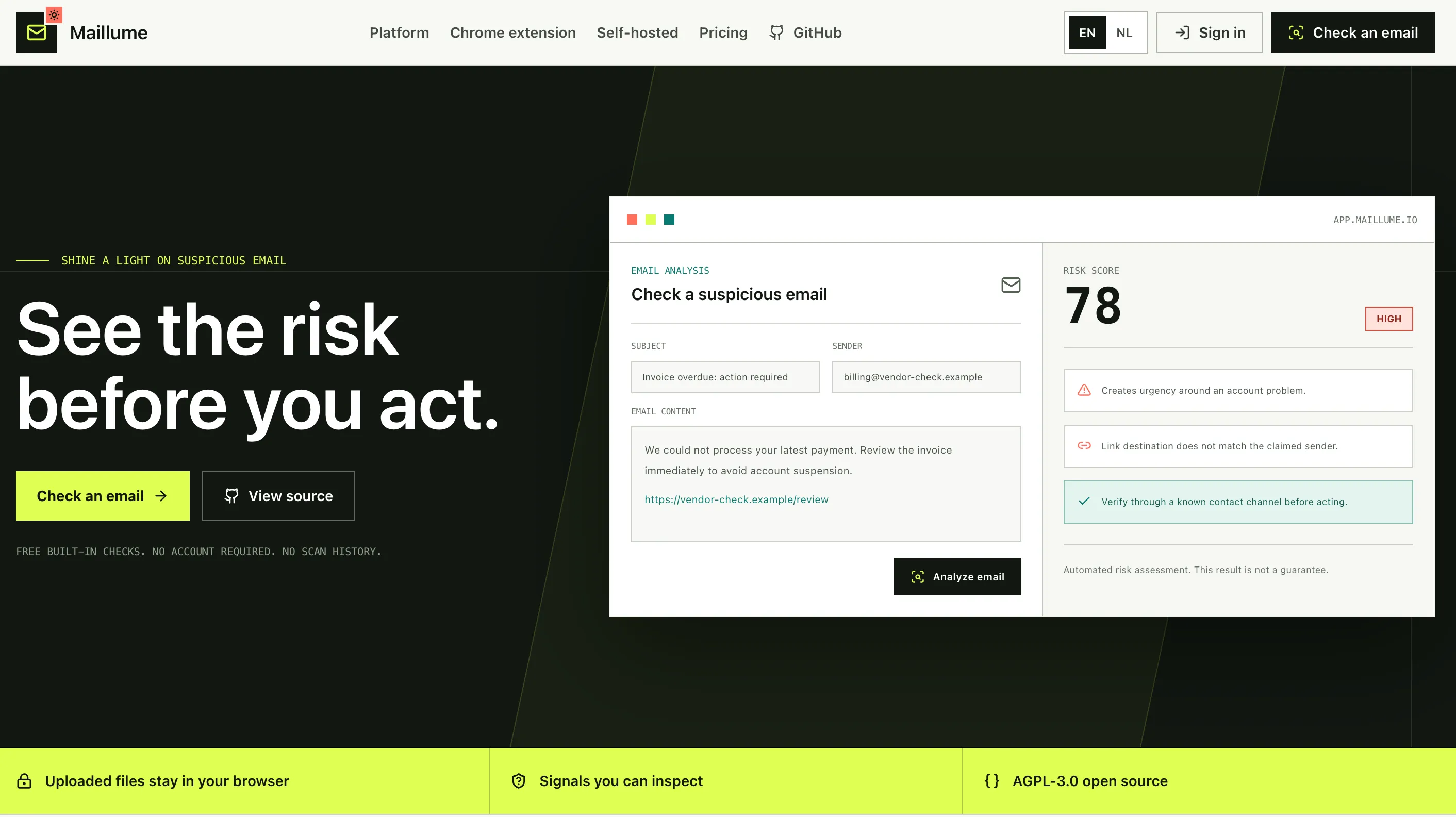
A privacy-first scanner for phishing and spam. Paste an email, upload a screenshot or open an .eml file and get an explainable risk report: which signals are present, how much they weigh and what to do next. No account, no scan history, self-hostable.
Automations touch sensitive data. That’s why privacy and security are a design decision for me, not an afterthought.
How I protect your data →Automation raises practical questions. Here I explain how I work, what you can expect and where you stand.
We always start with a free intro call. If there is enough to go on, you can choose an in-depth process and automation audit for €750 excl. VAT.
After the audit you receive several solution options, usually at three levels: a quick fix, a more extensive solution, and fully managed process automation.
You then decide which option best fits your situation, budget and the level of support you want.
Because automation only adds value once the process is well understood. In the audit I map the steps, systems, exceptions and risks before anything is built.
That prevents a loose integration that works technically but doesn’t fit how the work is actually done.
My own environment runs on a server in Germany, with encrypted backups in a second EU location. Automations I manage for you run there.
If you already use tools like Make.com or Google Workspace, the data stays where it is today. For each process I advise where it can run most safely and practically.
No. The audit is a standalone engagement. You receive an analysis, advice and several possible next steps, and decide for yourself whether you want a solution built afterwards.
Yes. After delivery you can choose optional aftercare from €189 excl. VAT per month. It includes up to 1 hour per month for fixing small bugs or technical issues in the delivered automation.
New requests, extensions or bigger problems fall outside this plan and are discussed and billed separately.
A small, focused automation can sometimes be live within a week. More complex projects usually take 2 to 8 weeks, depending on the number of systems, exceptions and the error handling required.
Yes, that’s a core principle. I deliver automations with explanation, documentation and handover, so you understand how the solution works and never depend on a black box.
Want to know where automation could add value to your process? Book a free intro call and I’ll think it through with you.